One payment for device and vehicle model authorization, no extra license needed.
Supports programming, coding, and key programming functions.
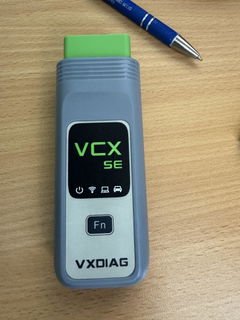
The VXDIAG VCX NANO for Volvo 2014D is a professional-grade OBD2 diagnostic tool designed for comprehensive system diagnostics, ECU coding, and programming.
Compatible with Volvo vehicles from 2000 to 2014, it supports SAE J2534-1 & J2534-2 standards.
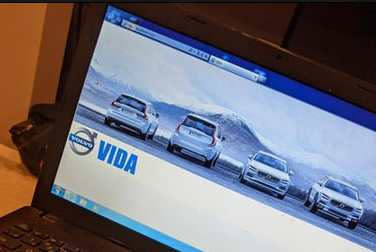
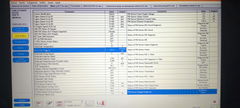
The VXDIAG for Volvo device is an OBD2 diagnostic tool that supports the official VIDA/VDASH software, enabling all the functions you need, including programming, coding, key programming, and more.
A device that supports diagnostics for All of VOLVO models from 2000 to 2014.
Lifetime VOLVO authorization without subscription fees or additional charges.
Original VOLVO software VIDA for real-time vehicle diagnostics (contact customer service for download links).
Real-time programming, coding, and key programming at home to solve diagnostic issues (Online programming requires an additional online subscription account.).
USB cable.
Two-year equipment warranty and lifetime support from VXDIAG Official Web.
Key Features
Feature
Description
Comprehensive Diagnostic Capabilities
All-System Diagnostics: The VCX NANO offers in-depth diagnostics across all vehicle systems, including engine, transmission, ABS, and instrument panels. ECU Coding and Programming: Fully compatible with the 2014D software, it supports ECU programming and configuration for vehicle customization and performance enhancements.
Wide Protocol Compatibility
SAE J2534-1 & J2534-2 Standards: Supports a wide range of vehicle protocols such as CAN, UART, KW2000, and Class2, ensuring broad compatibility and reliable performance.
Lifetime Free License Updates
Firmware and License Updateable: Easily resolve "License Expired" issues by downloading and installing the latest VX Manager, connecting to a network, and updating firmware and license. Lifetime License: Enjoy lifetime license updates, ensuring the tool remains up-to-date with the latest features.
Advanced Functions
Bi-directional Control (Active Tests): Enables full control over vehicle components for active tests such as fuel pump operation, wiper function, and headlamp testing. Full OBDII Functions: Includes detailed code reading, erasing codes, resetting monitors, viewing data streams, freeze frame data, and more.
Multi Special Functions
Provides a range of maintenance functions like Maintenance Light Reset, throttle learning, brake pad reset, tire pressure reset, and many others for comprehensive vehicle care.
Detailed Functionality Overview
OBDII Functions
The VCX NANO provides full OBDII functionalities, which are crucial for comprehensive vehicle diagnostics and maintenance. The following table summarizes these functions:
Function
Description
Reading Codes
Displays detailed descriptions of Diagnostic Trouble Codes (DTCs).
Erasing Codes & Reset
Clears codes and resets monitors, turning off the Check Engine Light (MIL).
Data Stream
Reads and displays live ECU/PCM data streams and stores freeze frame data.
I/M Readiness Status
Shows the readiness of emission-related systems for inspection and maintenance testing.
Read Live Data Stream
Provides continuous live data from vehicle components in graphic (waveform) display.
View Freeze Frame Data
Displays specific vehicle conditions recorded by the on-board computer at the time of an emission-related fault.
O2 Sensor Test
Retrieves and views O2 sensor monitor test results from the vehicle’s on-board computer.
On-Board Monitor Test
Retrieves and displays test results for emission-related powertrain components and systems.
Read Vehicle Information
Displays vital vehicle information such as VIN, CID, and CVN.
Component Test
Allows actuation of vehicle components to test their operability.
Multi Special Functions
In addition to the OBDII functionalities, the VCX NANO offers several special functions for maintenance and service, enhancing its utility for professional diagnostics and repair:
Maintenance Light Reset
Throttle Learning
Steering Angle Learning
Brake Pad Reset
Tire Pressure Reset
ABS Exhaust
Battery Matching
Injector Coding
DPF Regeneration
Headlight Matching
Gearbox Learning
Sunroof Initialization
A/F Adjustment
Electronic Pump Start
Release Transportation Mode
Tire Modification
Door and Window Calibration
Urea Reset
NOx Reset
Start-Stop Setting
Language Setting
Seat Calibration
Shielding Failure
NOTE: The device supports VIDA/VDASH software, but we do not provide an online account.
Volvo officially recommends that the VIDA software can only run on the Windows 7 32-bit system.
Package List:
1pc x VXDiag VCX NANO for Volvo 1pc x USB cable
Frequently Asked Questions
1. How can I download diagnostic software?
After purchasing, contact customer service to receive offline download links for diagnostic software. (Mercedes-Benz, Porsche, JLR Pathfinder and BMW software packages are not provided.).
2. Please be sure to understand the precautions for the VXDIAG device and its VX Manager driver management software before purchasing:
2014 Volvo V60 and 2018 Volvo S90 without any issues
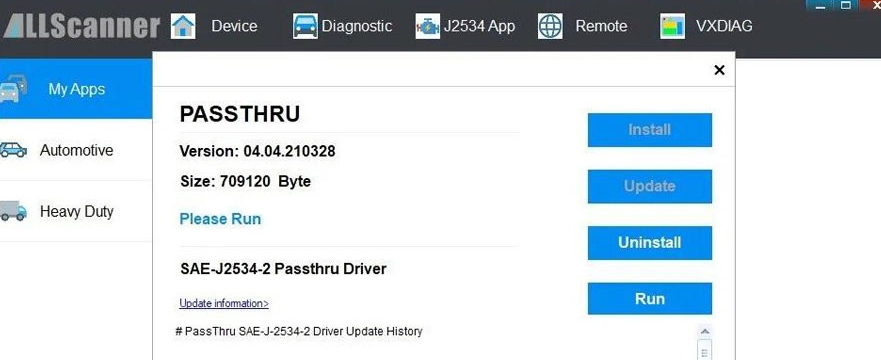
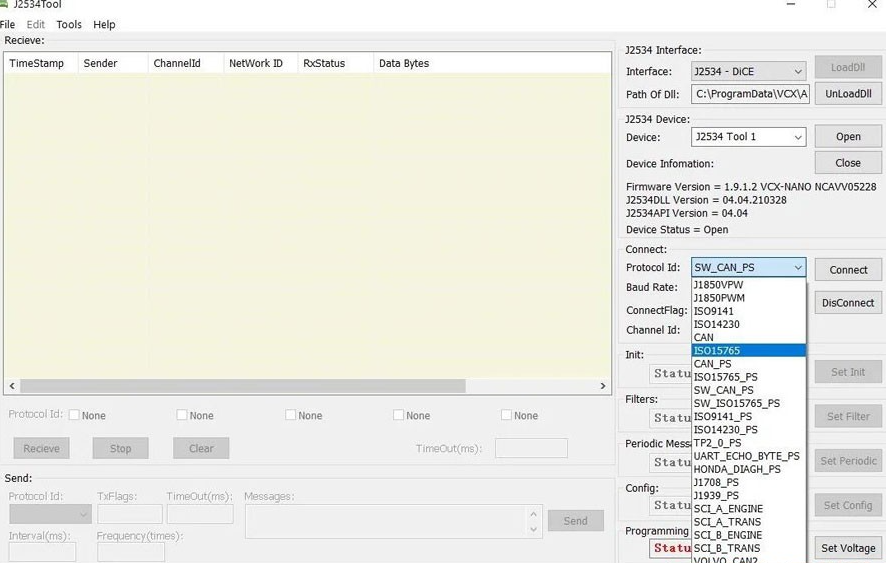
I'm using the VXDIAG VCX Nano for Volvo, and it works great with VDASH on my 2014 Volvo V60. To get it running, I had to install the Passthru driver in VX Manager and select the VXDIAG-J2534 interface. Once that was set up, diagnostics started smoothly- Yeah..probably because I bought it directly from the official VXDIAG website (vxdiag.com).
Cracking the CEM pin code took a bit longer than I expected, but in the end, it worked!
On top of that, I was also able to scan and diagnose fault codes on a 2018 Volvo S90 without any issues.
D
Dannie Kerwick
VDASH/VIDA both ok!
VIDA recommends using Windows 7 Professional 32-bit, but I've managed to run it just fine on Windows 10!
With VIDA, I can connect to the car, read its details, check fault codes, and access live data. I can also use the activation function to turn various systems on and off for testing purposes.
I haven't tried any programming yet.
I've also used the device with VDASH2, and it works well for reading information and fault codes. I haven't tried programming with VDASH2 either.
So, aside from not being able to comment on programming just yet (hopefully I'll be able to update this later), I definitely recommend the VCX NANO as a cheaper alternative to the DICE clone.
S
Soraia Jeffree
VXDIAG VCX NANO for Volvo
Super product, fantastic support fromcustomer support group
J
James Bartel
No luck
Software download was a bit of a hassle, but worked. The software, unfortunately, would start..but then completely freeze my machine when the login screen appeared and a forced restart would have to happen. Not once did I get the software to perform. Never even got the chance to plug into the vehicle to read any codes.
Dear Friend,
Thank you for your message. According to the official recommendation from Volvo, the VIDA software is only compatible with Windows 7 32-bit systems. It does not support virtual machines or Windows Home Edition. We would suggest that you change your operating system and try running the software again. Additionally, if there are other diagnostic software programs or drivers present on your computer, they may cause conflicts with VIDA.
Please feel free to let us know if you have any further questions.
Recently purchased vcx nano for GM usb version and had a very good experience. The team was very helpful in quick replying. The vcx worked great for diagnostics and later used for sps programming. Successfully flashed calibrations to my car's power steering with sps techline.
USB Version VXDIAG VCX NANO for GM
Pablo Pérez Tendero
It works perfectly
It works perfect for a Land Cruiser 1gd ftv diesel 2019. Old minivci do not work
USB Version VXDIAG VCX NANO for TOYOTA
Rafael Rodriguez
Finally a tool that delivers.
I wasted money on other OBD2 tools, so I was really skeptical, but the reputation of this tool was persuasive. I am glad I bought it because it did the job. If your IDS is missing the latest PCU update files, remember you can download them for free from the PhordTech site. This tool just works.
USB Version VXDIAG VCX NANO for Ford Mazda
Viktor Szovga
Very satisfied with this VXDIAG VCX SE Pro 3 in 1 device
Very satisfied with this VXDIAG VCX SE Pro 3 in 1 device. Installation was successful and the Honda diagnostic software works correctly with my 2019 Honda CR-V Hybrid. The support team was very responsive and provided detailed instructions, software links, and assistance during setup.
The device connected successfully, read all systems without errors, and provided detailed live data for the hybrid battery, motor, and other modules. Communication with the vehicle is stable and fast.
Highly recommended for diagnostics, learning, and advanced vehicle monitoring.
VXDIAG VCX SE Pro 3 in 1
Anonymous
Es funktioniert einwandfrei
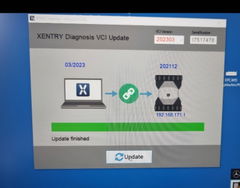
Es funktioniert einwandfrei. Man muss sich genau an die Installationroutine halten. Zuerst den VX Manager nutzen und Firmware und Lizenz auf neusten Stand bringen. Danach den VX Recovery nutzen und den VXC-SE auf gleichen Stand bringen. d.h. das Datum von Xentry muss mit dem Datum dem VXC-SE übereinstimmen. Also oben im Fenster von VX Recovery muss das gleiche Datum wie mitte in Feld links stehen. Das erreicht man indem man im VX Manager unter Lizenzen auf Benz klickt und aktualisiert. Dann passt das Datum. Und danach funktioniert das Gerät bei alten bis topaktuellen Benzens. Sehr gut.
Working well, helped me review parameters on my 2009 Toyota.
I'm working thru some license update issues with VXDIAG but I'm confident I'll get them resolved. The device is working well with my laptop. I would buy again.
Have emailed and chatted with the site atleast 10 times with zero response back about programs to
Have emailed and chatted with the site atleast 10 times with zero response back about programs to download that are compatible even thoe the site says everywhere just email with order number.
Hi Kody, we're sorry for the inconvenience. We’ve sent the software download link to your email and are here to help you get everything working. If you don’t see our email, please check your spam folder. You can also reach us through the live chat on our website for a more convenient way to contact our support team. We truly value your experience and would appreciate the opportunity to make things right.