



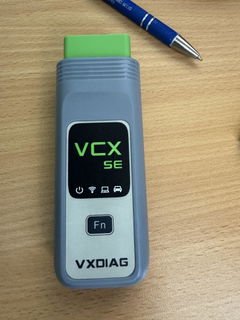
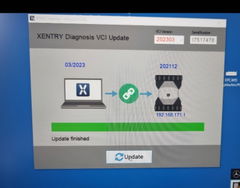
It's complicated to get it working, but it’s okay. However, I don't like having to set the date back on my laptop (SSM4). It feels very strange to set the date to 01.01.2020 when I’m actually performing a diagnosis on a 2023 car
I recently purchased the USB version of the VXDIAG VCX NANO for GM, and I am happy to report that it performs exactly as promised. For anyone looking for a cost-effective alternative to the official MDI (Multiple Diagnostic Interface) tool, this is a solid choice.
Key Performance Highlights:
Plug-and-Play Stability: Unlike the Wi-Fi versions which can sometimes suffer from dropped signals during sensitive operations, the USB connection is rock-solid. This is crucial when performing ECU programming or software updates.
Full System Access: I was able to access all modules (Engine, Transmission, ABS, SRS, etc.) on my vehicle without any communication errors.
Software Compatibility: It integrates seamlessly with GDS2 and Tech2Win. After a bit of initial driver setup via the VX Manager, the device was recognized immediately by the diagnostic software.
Functionality: It supports everything from simple fault code clearing to complex bi-directional tests and module adaptations.
Pro-Tips for Setup:
Update Firmware First: Always open the VX Manager and update the device firmware and the GM driver before attempting to connect to your vehicle.
Dedicated Laptop: For the smoothest experience with GM diagnostic software, I recommend using a dedicated laptop or a clean virtual machine to avoid driver conflicts.
Final Thoughts:
If you are a DIYer or a technician working on GM vehicles (Chevrolet, Buick, Cadillac, GMC), this tool provides professional-level diagnostics at a fraction of the cost. It does exactly what it says on the box.
Highly recommended for GM owners!
Dear Friend,
Thank you so much for your detailed and honest review. We truly appreciate your feedback and are delighted to hear that the device works exactly as expected for your GM vehicles. Your pro-tips and insights are very helpful for other users as well. If you ever need any assistance in the future, please feel free to reach out.
Best regards,
This is the worst interface: it works very slowly, it does not work with the original D-PDU API drivers. The drivers supplied in the kit seem to be stolen and have protections that the system detects as viruses.
The quality of the J2534 driver is disgusting: the interface does not work properly.
The USB-C connector in the interface is made in such a way that it is practically impossible to use it with third party cables.
A terrible interface.
Dear Friend,
Thank you for your message. Our device has its own driver management software called VX Manager. You can download it using the following link:
https://mega.nz/file/KKwxiJqB#vw_61Wf2iTY6RO7TK04lrTxJ9btj46XXkHtg5LDWku4
Here is the device user manual for your reference:
https://vxdiag.com/pages/vxdiag-device-user-manual
Additionally, we have sent you the relevant software installation links and tutorials via email at support@vxdiag.com. Please kindly check your inbox. If you do not receive the email, please feel free to contact us through online chat.
Please let us know if you have any further questions.
Best regards,
Software download was a bit of a hassle, but worked. The software, unfortunately, would start..but then completely freeze my machine when the login screen appeared and a forced restart would have to happen. Not once did I get the software to perform. Never even got the chance to plug into the vehicle to read any codes.
Dear Friend,
Thank you for your message. According to the official recommendation from Volvo, the VIDA software is only compatible with Windows 7 32-bit systems. It does not support virtual machines or Windows Home Edition. We would suggest that you change your operating system and try running the software again. Additionally, if there are other diagnostic software programs or drivers present on your computer, they may cause conflicts with VIDA.
Please feel free to let us know if you have any further questions.
Best regards,
Good product multiple brand support wish I’d explored this before getting into other adapters
